

Cloud migration outsourcing goes wrong in a predictable way: the workloads move, the architecture does not, and the monthly bill arrives higher than the data centre it replaced. Nothing was done incorrectly. The migration simply rented the same hardware shape at a premium, because nobody decided what should change before it moved.
Key takeaways
- Lift and shift moves the problem; savings come from what you redesign during the move.
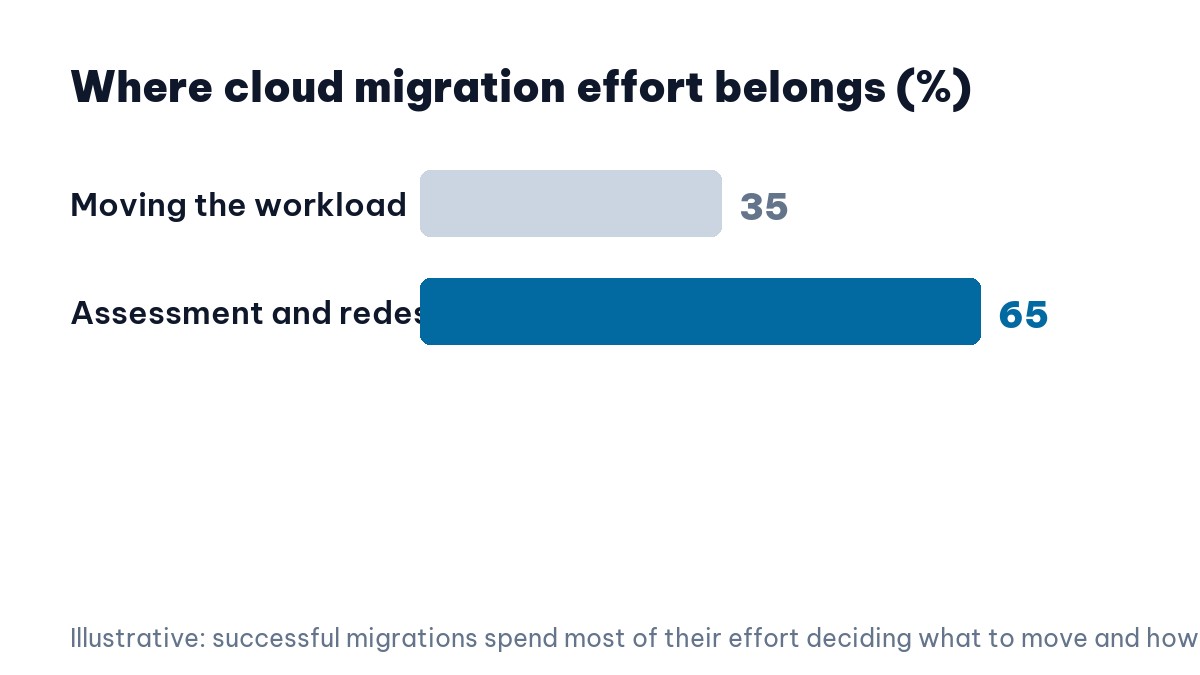
- Assessment – inventory, dependencies, real usage – is where most of the value of cloud migration outsourcing sits.
- Decide per workload: retire, retain, re-host, re-platform or re-architect. Most estates contain some of each.
- Three to nine months is typical for a mid-sized estate; undocumented dependencies drive the variance.
- Your team must own the accounts, the infrastructure-as-code and the runbooks when the vendor leaves.
Table of contents
- Why Lift and Shift Disappoints
- Cloud Migration Outsourcing Starts With Assessment
- Cloud Migration Outsourcing: Five Decisions Per Workload
- Cloud Migration Outsourcing and the Bill You Model First
- Dependencies Are the Real Timeline Risk
- Why Cloud Migration Outsourcing Fits This Work
- What You Must Own Afterwards
- Cost Control Is an Operating Habit
- Cloud Migration Outsourcing Mistakes
- FAQ
Why Lift and Shift Disappoints
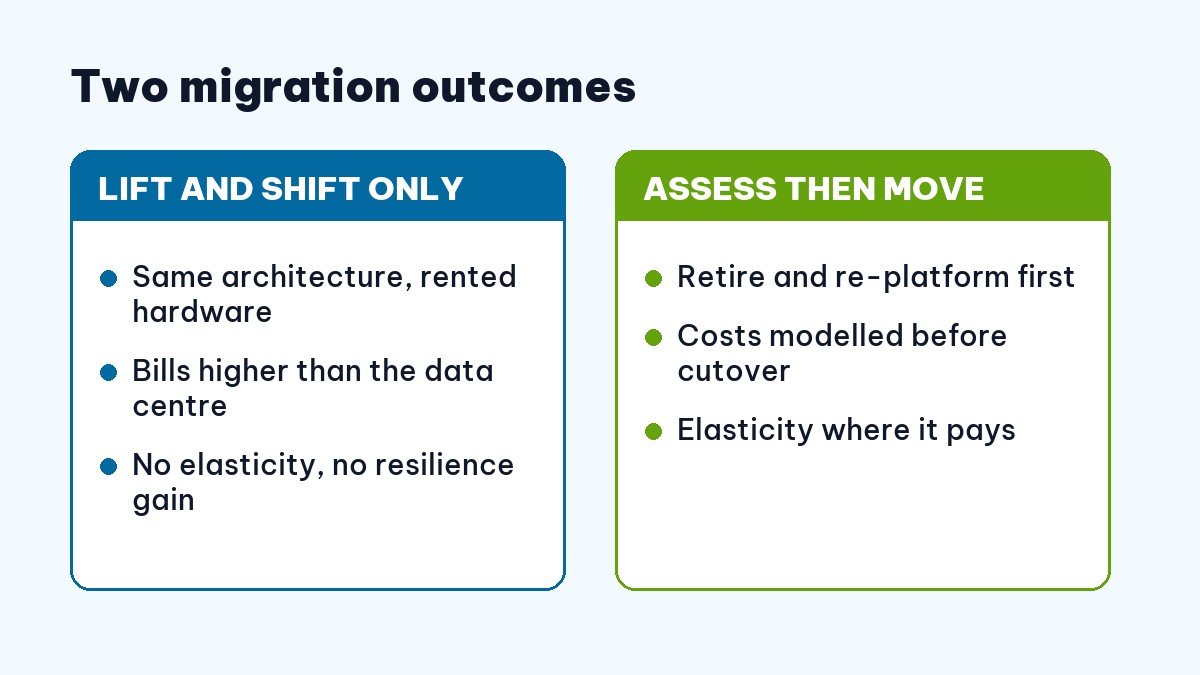
A system designed for fixed servers assumes those servers are always there. Move it unchanged and you inherit the assumption while losing the economics: you now rent capacity sized for peak load, running at average load, twenty-four hours a day.
The cloud’s advantage is elasticity, and elasticity requires architecture that can scale down as well as up. Without that, you have changed landlord rather than model – which is why so many migrations report higher bills and no measurable improvement in resilience.
Resilience follows the same logic. Availability zones and managed failover only help a system designed to survive losing a node; an application that keeps state on one machine is exactly as fragile in the cloud as it was in the rack.
Lift and shift is not always wrong. It is a reasonable first step when a data centre lease is expiring and time is short. It is only wrong when presented as the destination.
Cloud Migration Outsourcing Starts With Assessment
The most valuable phase produces no migration at all. It produces an inventory: what runs, what depends on what, who uses it, how much, and at what times.
Assessment is also the phase where you find out who actually owns each system. In estates older than a few years, that answer is frequently “nobody currently employed”, and establishing an owner is a prerequisite for deciding anything about it.
Real usage data usually surprises people. Estates typically contain systems nobody uses, systems sized for a load that never materialised, and one unremarkable service that everything else quietly depends on. All three change the plan, and none of them appear on an architecture diagram.
Cloud Migration Outsourcing: Five Decisions Per Workload
For each workload, choose one of five paths. Retire it, if nobody genuinely uses it – the cheapest migration is the one you do not perform. Retain it on-premise, if a regulatory or latency constraint makes moving pointless.
Re-host it unchanged, when it is stable, cheap to run and not worth engineering effort. Re-platform it with modest changes – a managed database instead of a self-managed one – which is where most of the practical savings live. Or re-architect it, which is expensive and justified only for systems where elasticity or resilience genuinely changes the business case.
Most estates contain all five. A vendor proposing a single approach across everything has not done the assessment.
Cloud Migration Outsourcing and the Bill You Model First
Cloud pricing is granular in a way that data centre budgeting is not: compute, storage tiers, data transfer, managed services, and egress charges that surprise almost everyone the first time.
Reserved capacity and committed-use discounts change the arithmetic significantly for predictable workloads, but they also commit you for a year or more – which is a poor idea before you have observed how the workload behaves in its new home.
Build the model before you move, using observed usage rather than provisioned capacity. Then check it against the first month’s actual bill and correct. The teams that stay within budget are the ones who treated the estimate as a hypothesis to be tested rather than a number to be defended.
Dependencies Are the Real Timeline Risk
Migration timelines are rarely broken by the number of servers. They are broken by the discovery, mid-cutover, that a system talks to something nobody documented – a scheduled job, a shared file location, a hard-coded address in a script written years ago.
This is why assessment pays for itself. Every dependency found during planning costs an afternoon; the same dependency found during cutover costs a weekend and a rollback, as our guide to legacy system modernisation describes in adjacent territory.
Why Cloud Migration Outsourcing Fits This Work
Migration is a temporary spike of specialist work. You need deep cloud expertise intensively for a few months and then far less of it – which is close to the definition of work that should not become permanent headcount.
The staffing pattern that works well is a small internal group embedded alongside the vendor throughout – not to supervise, but to absorb. They are the people who will run the estate afterwards, and the migration is the cheapest training they will ever get.
It is also work where having done it before genuinely matters. The value is pattern recognition: knowing which surprises are common, which shortcuts are safe, and which “temporary” arrangements become permanent. That is what cloud migration outsourcing buys, more than the hours themselves.
What You Must Own Afterwards
The failure that outlasts the project is ownership. When the vendor leaves, your team must hold the cloud accounts, the infrastructure defined as code in your repository, the runbooks for routine operations, and enough knowledge to make a change without a phone call.
Write that into the engagement from the start: accounts in your name, infrastructure-as-code in your repository, and a knowledge transfer period with named people. Our contract checklist covers how to phrase it.
Cost Control Is an Operating Habit
Cloud spend does not stabilise on its own. Untagged resources accumulate, forgotten environments run for months, and storage grows because deleting things is nobody’s job.
Tag everything from day one, set budget alerts before cutover rather than after the first surprise, right-size once real usage is observable, and make one team accountable for the bill. None of this is difficult; all of it is easier to establish during a migration than to introduce afterwards.
Cloud Migration Outsourcing Mistakes
Migrating everything because it is all in scope. Retiring unused systems is the highest-return activity in the entire programme.
Cutting over without a rollback plan you have actually tested. A rollback that exists only as a paragraph is not a rollback.
Letting the vendor hold the accounts “for convenience”. It is convenient right up to the moment you want to change vendor, at which point it is the whole problem.
A closing note on sequencing, because it is where good plans quietly fail. Migrate the least important workload first, even though it feels like wasted effort on something nobody cares about.
That first move is where you discover which parts of your plan were wrong – the network assumption, the identity integration, the backup that does not restore – and you want to discover those on a system whose downtime costs nothing. Teams that start with the crown jewels because “that is where the value is” learn the same lessons at the worst possible price.
FAQ: Cloud Migration Outsourcing
Why do migrations cost more than expected?
Because workloads move unchanged. Renting hardware sized for peak, running at average, is more expensive than owning it.
Should migration be outsourced?
Usually yes – it is a temporary spike of specialist work – provided your team owns accounts, code and runbooks afterwards.
What is the first step?
Assessment: inventory, dependencies, real usage, and a retire/retain/re-host/re-platform/re-architect decision per workload.
How long does it take?
Three to nine months for a mid-sized estate. Undocumented dependencies, not server count, drive the variance.
How do I control costs afterwards?
Tag everything, set alerts before cutover, right-size on observed usage, and make one team accountable for the bill.
The move is the easy part. Cloud migration outsourcing earns its fee in the decisions made before anything moves – and in leaving your team able to operate what remains. See our transparent 2026 rate card →