
PC Cloud Drive Solutions for Secure Data Storage: The Definitive 2026 Buyer’s Guide
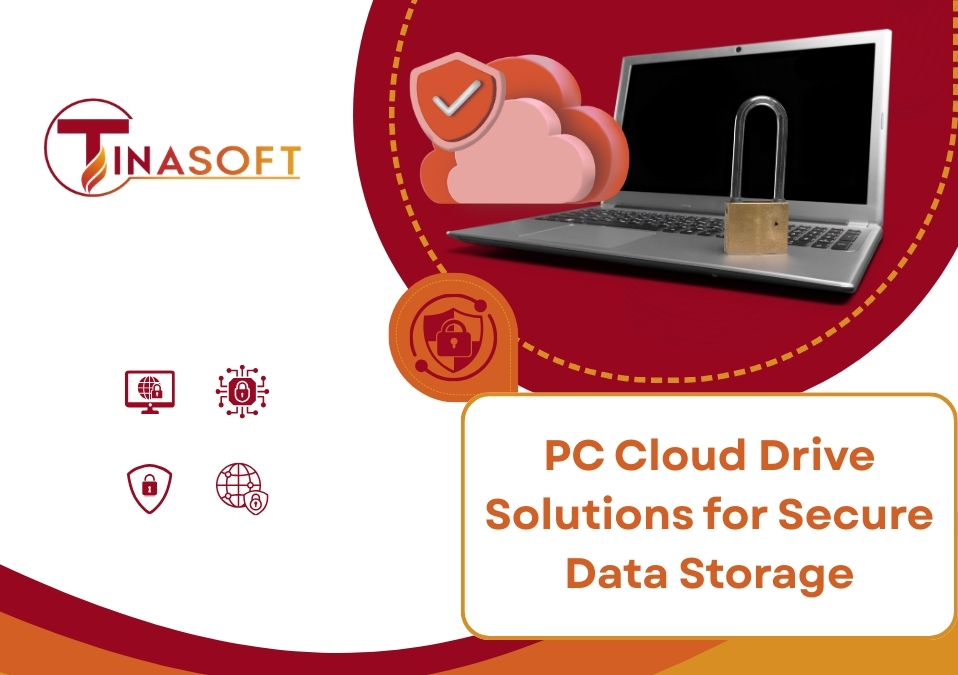
In the hyper-connected landscape of 2026, data has become the most valuable currency, yet it remains the most vulnerable. Imagine this: you start your Monday morning only to find your laptop’s NVMe drive has suffered a catastrophic controller failure, or worse, a sophisticated ransomware strain has bypassed your local antivirus and encrypted every file on your machine. Without a robust pc cloud drive strategy, these aren’t just technical hiccups—they are business-ending events.
A pc cloud drive is no longer just a “handy tool” for file sharing; it is your digital insurance policy and your high-tech digital safe. As we navigate 2026, the complexity of cyber-attacks has escalated, making traditional local backups insufficient. This guide serves as your expert consultant to help you evaluate the best pc cloud drive solutions, understand the technical benchmarks of security, and choose a path that ensures your data remains both accessible to you and completely untappable by intruders.
1. The “Gold Standards” of a Secure PC Cloud Drive in 2026
Before comparing brands, you must know what “secure” actually means in the current era. A standard pc cloud drive that simply mirrors folders is a relic of the past. To meet the security demands of 2026, your chosen solution must adhere to these four technical pillars:
End-to-End Encryption (E2EE)
True security begins before the data even leaves your computer. End-to-End Encryption means that your pc cloud drive software encrypts the data locally on your machine using your unique key. The data travels through the internet pipes as an unreadable cipher and sits on the provider’s server in that same encrypted state. Only your device holds the key to unlock it.
Zero-Knowledge Architecture
This is the ultimate litmus test for privacy. A Zero-Knowledge pc cloud drive provider is engineered such that even the company providing the service cannot see what you’ve uploaded. They do not store your password or your encryption keys on their servers. If the provider is hacked or issued a government subpoena, they physically cannot hand over your files because they cannot read them.
Multi-Factor Authentication (MFA) & Biometrics
In 2026, a password is merely a suggestion to a sophisticated hacker. Your pc cloud drive must support hardware security keys or biometric passkeys like FaceID or TouchID. This ensures that even if your login credentials are leaked, your data remains locked behind a physical or biological barrier.
Real-Time Heuristic Syncing
Security also involves the integrity of the data version. A modern pc cloud drive doesn’t just sync; it watches for anomalies. If a ransomware script starts rapidly changing file extensions, a smart cloud drive will detect this unnatural activity, pause the sync, and alert you, allowing you to roll back to a clean version from minutes prior.
2. The Role of AI in Modern PC Cloud Drive Security
By 2026, Artificial Intelligence has moved from the backend to the forefront of pc cloud drive protection. We are seeing a shift from reactive security—fixing things after they break—to predictive security.
Most top-tier pc cloud drive solutions now integrate Shadow File Detection. This AI-driven feature monitors the entropy of your files. When a file is encrypted by a malicious actor, its entropy increases significantly. The AI within your pc cloud drive recognizes this shift in real-time. Instead of just syncing the new encrypted file over your good one, the system creates an isolated air-gapped snapshot, effectively neutralizing the ransomware’s leverage. When you invest in a pc cloud drive, you aren’t just buying space; you are hiring an AI sentinel to guard your bits and bytes.
Furthermore, AI algorithms now manage bandwidth allocation. If you are working on a massive project, the pc cloud drive prioritizes the syncing of modified blocks rather than the whole file, ensuring that your most recent work is secured with minimal latency, even on unstable connections.
3. Comparison of Top PC Cloud Drive Solutions (2026)
To make your decision easier, let’s look at the four categories of pc cloud drive providers available today:
| Solution Category | Key Security Strength | Best For… |
| Microsoft OneDrive | Deep Windows integration & “Personal Vault” (MFA-locked). | Corporate teams heavily invested in the Office 365 ecosystem. |
| Google Drive | AI-native malware scanning & massive scale redundancy. | Agile teams focusing on real-time collaboration and “Search-first” logic. |
| Proton / pCloud | Swiss Privacy Laws & native Zero-Knowledge encryption. | Individuals or professionals handling sensitive legal or medical data. |
| Private Cloud (Tinasoft) | Total Sovereignty: On-premise control & customizable logic. | Enterprises that cannot risk their data sitting on a public 3rd-party server. |
Microsoft & Google: The Public Powerhouses
These are the most convenient pc cloud drive options for the average user. Their strength lies in their massive infrastructure. However, they are Public Clouds, meaning your data is part of a gargantuan pool. While highly secure, they are also the biggest targets for global hacking syndicates. Their security relies heavily on your own account settings, making 2FA mandatory.
Proton & pCloud: The Privacy Pioneers
These providers focus on the Zero-Knowledge pillar. They are often based in jurisdictions with strict privacy laws. If your pc cloud drive needs involve high-level legal work, investigative journalism, or sensitive medical records, these are your go-to options. They trade some collaboration speed for absolute privacy.
4. Why Syncing is NOT the Same as Backing Up
A common misconception in 2026 is that a pc cloud drive is a 100% backup solution. It is important to distinguish the two.
- Syncing: Mirrors your files. If you delete a file on your PC, the pc cloud drive deletes it in the cloud. If a virus corrupts a file, it syncs the corruption.
- Backup (Versioning): Keeps historical snapshots.
A high-quality pc cloud drive must offer Version History, ideally for 30 to 90 days. This allows you to go “back in time.” If you accidentally save a corrupted document over a month-long project, a proper pc cloud drive allows you to right-click and restore the version from 2:00 PM yesterday. Without versioning, a cloud drive is just a mirror of your mistakes.
Furthermore, consider the “3-2-1” rule: 3 copies of your data, on 2 different media, with 1 copy off-site. Your pc cloud drive serves as the vital off-site copy, but it should be paired with an immutable snapshot feature to prevent accidental deletions from being permanent.
5. Pro-Tips for Optimizing Your PC Cloud Drive Security
Even the best pc cloud drive can be compromised by poor user habits. Follow this checklist to harden your data:
- Use Selective Sync for Sensitive Assets: Don’t keep your most sensitive archives permanently synced to your laptop’s local drive. Keep them “Cloud-only” and download them only when needed. This prevents data theft if your physical PC is stolen.
- Audit Your Sharing Links: Every 30 days, check which files you have shared via links. In 2026, most pc cloud drive solutions allow you to set self-destructing links that expire after 24 hours or a single download. Use them.
- Encrypted Containers: For the “crown jewels” of your data, don’t just rely on the pc cloud drive encryption. Place them inside an encrypted container then upload that container to the cloud. This provides double-hull protection.
- Device Management: Regularly check the “Authorized Devices” list in your pc cloud drive settings. If you see an old phone or a laptop you no longer use, revoke its access immediately.
6. The Tinasoft Perspective: Why Your Business Should Go Private
While public pc cloud drive solutions are excellent for casual use, they present a Sovereignty Gap for businesses. When you use a public cloud, you are renting a small corner of someone else’s house. You don’t control the hardware, you don’t control the logs, and you certainly don’t know who really has the master keys.
At Tinasoft Vietnam, we specialize in building Private Cloud Infrastructures. We believe that for a modern enterprise, security means control. Instead of relying on a generic pc cloud drive service, we help you set up an internal, high-performance storage ecosystem that you own 100%.
The Benefits of a Tinasoft-Managed Private Cloud:
- Data Residency: Your data stays within your physical control or a dedicated data center, complying with local cybersecurity laws and internal compliance mandates.
- Custom Security Logic: We can program your cloud to recognize specific organizational patterns, providing security that a one-size-fits-all pc cloud drive cannot.
- Zero Subscription Fees: Once the infrastructure is built, you stop paying monthly rent for your storage space. This significantly lowers long-term OpEx.
- Bridging the Gap: We act as the logic-driven architects who ensure your private pc cloud drive is just as fast and easy to use as Google Drive, but with the security of a private vault.
The decision to choose a pc cloud drive is a decision about the future of your business’s resilience. In 2026, you cannot afford to wait for a disaster to happen before securing your digital assets. Whether you choose the convenience of a public provider or the absolute sovereignty of a Tinasoft-built private infrastructure, the key is to ensure that your pc cloud drive meets the high standards of encryption, AI-threat detection, and user control.
Your data is the heart of your operation. Don’t let it beat in a house where you don’t have the keys. In an age of digital transformation, a secure pc cloud drive is the foundation upon which all other innovations are built.
🚀 Is your current storage solution a safety net or a ticking time bomb?
Don’t let legacy thinking leave your data exposed. Let Tinasoft consult you on building a high-performance, private, and logically-secured storage environment that belongs to you and only you.
👉 Contact Tinasoft today for a Private Cloud Infrastructure Consultation!
- 🌐 Website: [Tinasoft]
- 📩 Fanpage: Tinasoft Vietnam
#PCCloudDrive #CloudStorage2026 #CyberSecurity #Tinasoft #DataSovereignty #PrivateCloud #RansomwareProtection #DigitalTransformation #SecureStorage